Closed captions are on-screen words that show spoken dialogue and importan(W3C)peaker, describe music, and explain sounds such as laughter, ringing phones, alarms, or footsteps.
Viewers can usually turn closed captions on or off by selecting the CC button.
Closed captions were made to give Deaf and hard-of-hearing people equal access to video. Today, they help a much wider audience.
People use them in noisy rooms, quiet offices, classrooms, public places, and late at night. They also help language learners and viewers who find some voices or accents hard to understand.
In 2026, captions are more important than ever. Video appears on websites, streaming apps, social platforms, online courses, meetings, and live events. AI can create captions quickly, but human review is still needed.
This guide explains how captions work, how they differ from subtitles, and how to create clear, accurate, and useful captions.
What Are Closed Captions?
Closed captions are a timed text version of the meaningful audio in a video. They show speech, name speakers when needed, and describe sounds that help viewers understand the scene. Unlike open captions, viewers can choose whether closed captions appear. W3C defines captions as synchronized text for both speech and useful non-speech audio. (W3C)ed captions show spoken words as text on a screen.
- 🔊 They also explain important sounds that viewers may not hear.
- 💬 Dialogue appears at about the same time it is spoken.
- 👤 Speaker names may appear when the speaker is not clear.
- 🎵 Music may be named or described when it affects the scene.
- 😂 Captions can show sounds such as [laughter] or [crowd cheering].
- 🚪 They can describe actions heard off-screen, such as [door slams].
- ⚙️ Viewers can normally turn closed captions on or off.
- 🔘 The caption control is often shown as a CC button.
- 📱 Closed captions work on phones, tablets, computers, and smart TVs.
- 🎥 They may appear on recorded videos or live broadcasts.
- 🧏 They support Deaf and hard-of-hearing viewers.
- 🌍 They also help people learning a new language.
- 🤫 They make videos useful when sound cannot be played.
- 🔉 They help when sound quality is weak or voices are unclear.
- 🧠 Some people understand information better when they can read it.
- 📚 Captions can support reading, spelling, and word learning.
- 🕒 Each caption has timing data connected to the video.
- ✅ Good closed captions preserve the full meaning of the audio.
How Closed Captions Work
Closed captions are usually stored as a separate text track connected to the video. The caption file contains words and time codes. A media player reads those time codes and places each caption on the screen at the correct moment. Some television systems carry caption data within the broadcast signal.
- 📝 A captioner first turns spoken audio into written text.
- ⏱️ Time codes tell the player when each caption should appear.
- ▶️ A start time marks when the text enters the screen.
- ⏹️ An end time marks when the text disappears.
- 📂 The caption track may be stored outside the video file.
- 📦 Some video files can contain the caption track inside them.
- 🔘 The player’s CC control lets viewers show or hide the track.
- 🌐 Web players may load captions through a linked text file.
- 📡 Television broadcasts can send caption data with the program.
- 📺 A TV or set-top box reads and displays that caption data.
- 🎨 Some devices let viewers change caption size and style.
- 🔤 Viewers may be able to change the font or text color.
- ⬛ A background box can make the words easier to read.
- 📍 Position data may place captions near the person speaking.
- 🗣️ Speaker labels help when several people talk.
- 🔄 Captions stay linked as viewers pause, rewind, or skip.
- 🌍 One video may offer several caption or subtitle languages.
- 🤖 Speech recognition can create a first caption draft.
- 👀 Human review helps fix wording, timing, and sound descriptions.
Closed Captions vs. Subtitles
Closed captions and subtitles both place words on a screen, but their main goals can differ. In common U.S. use, captions are usually written in the same language as the audio and include meaningful sounds. Subtitles often translate dialogue for viewers who can hear but do not know the spoken language. W3C notes that these terms may be used differently in other regions. (W3C)ions usually match the language spoken in the video.
- 🌍 Subtitles often translate speech into another language.
- 🔊 Captions include important non-speech sounds.
- 🗨️ Subtitles may focus mainly on spoken dialogue.
- 👤 Captions identify speakers when the voice is unclear.
- 🎵 Captions may explain music or changes in tone.
- 🚨 Captions can show alarms, sirens, knocks, and warnings.
- 🧏 Captions are designed as an accessibility feature.
- ✈️ Subtitles often help viewers watch foreign-language content.
- 📺 A video can offer captions and translated subtitles together.
- 🔘 Both may be turned on through the same player menu.
- 📝 Both use timed lines linked to the video.
- 🎬 Both should follow the pace and meaning of the scene.
- 🗣️ Same-language subtitles may look much like captions.
- 🌐 Some countries use the word “subtitles” for both types.
- 🧠 The intended viewer helps define which type is needed.
- ✅ Captions should provide access to the whole audio experience.
- 🔄 A caption file may later be translated into subtitle tracks.
- 🎯 The safest choice is to label every language and track clearly.
Closed Captions vs. Open Captions
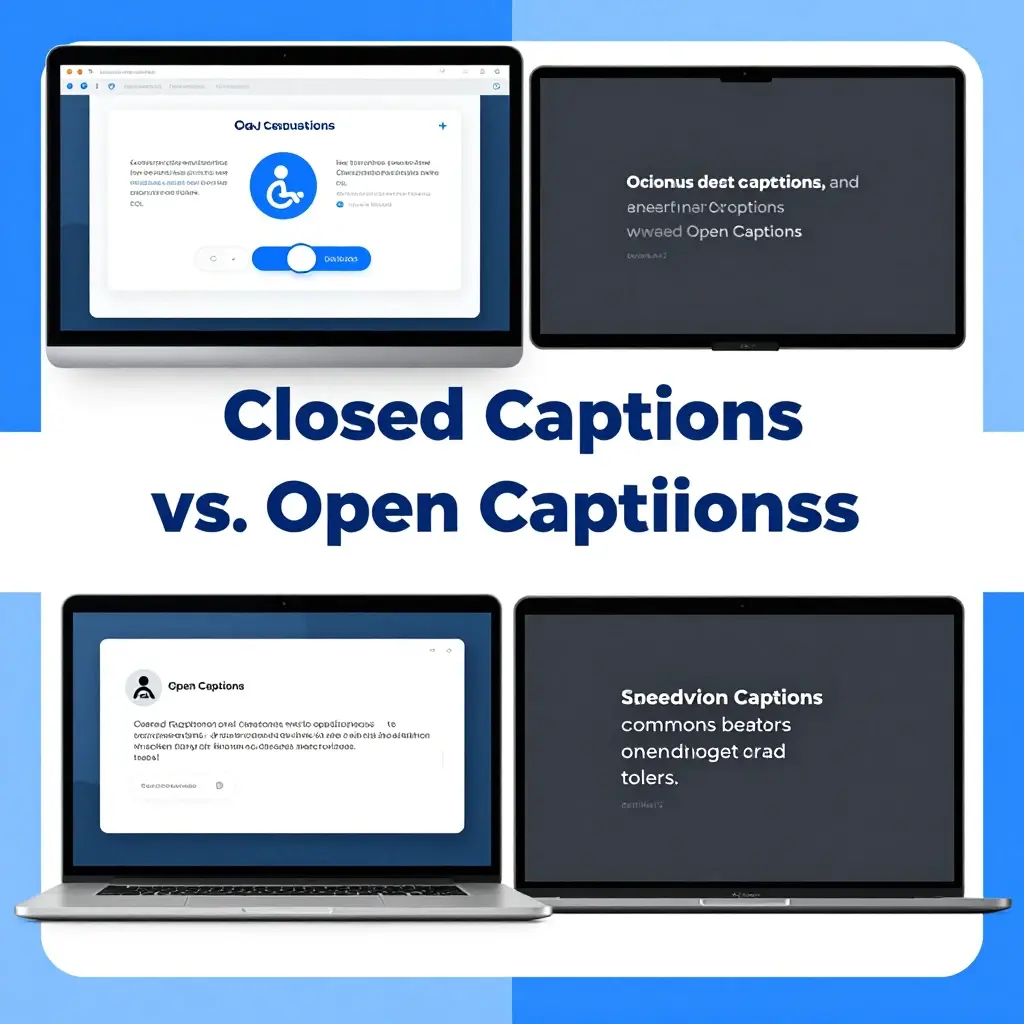
The main difference is viewer control. Closed captions can be switched on and off. Open captions are burned into the picture and remain visible for everyone. W3C explains that most captions are closed, while open captions are always displayed and cannot be hidden. (W3C)ed captions can usually be turned on or off.
- 🔒 Open captions are always visible on the video.
- 🎞️ Open captions are part of the video image itself.
- 📂 Closed captions are often stored as a separate text track.
- 🎨 Closed caption appearance may change with viewer settings.
- 🖌️ Open caption design is controlled by the video creator.
- 📱 Closed captions depend on support from the media player.
- ✅ Open captions work even when a platform lacks caption controls.
- 🌐 Closed captions can support several language tracks.
- 📹 Open captions normally show only the language burned into the video.
- ♿ Closed captions give viewers more personal control.
- 👀 Open captions make text visible to every viewer.
- 📲 Open captions are common in short social media videos.
- 📺 Closed captions are common on television and streaming services.
- ✂️ Open captions can be lost if a platform crops the video.
- 🔍 Closed caption text may be available to platform search systems.
- 🎯 Open captions help when most viewers watch without sound.
- 🧩 Some creators provide both open text and a closed caption track.
- 💡 The best option depends on the platform, audience, and purpose.
Why Closed Captions Matter
Captions are not a small extra feature. They give people access to news, education, entertainment, public information, and everyday communication. They also help viewers in real-life situations where audio is blocked, unwanted, hard to hear, or difficult to understand.
- 🧏 Captions give Deaf viewers access to spoken information.
- 👂 They support people with mild or severe hearing loss.
- 👵 They can help older viewers follow speech more easily.
- 🤫 They let people watch videos in quiet places.
- 🚆 They help on trains, buses, planes, and busy streets.
- 🏢 They allow silent viewing in offices and shared rooms.
- 👶 Parents can watch without waking a sleeping child.
- 🌍 Language learners can connect spoken and written words.
- 🗣️ Viewers can understand unfamiliar accents more easily.
- 🎓 Students can review lessons with stronger focus.
- 🧠 People who process text better than sound gain another option.
- 🔉 Captions help when speakers talk quietly or very quickly.
- 🎙️ They support videos with weak microphones or poor audio.
- 🏟️ They make screens useful in loud public spaces.
- 📱 They help social media viewers who keep sound turned off.
- 🚨 They can carry vital warnings and emergency information.
- 💬 They make group conversations easier to follow.
- 📖 They may support word recognition and reading practice.
- ❤️ Most importantly, captions help more people feel included.
Who Uses Closed Captions?
Closed captions serve many people, not only viewers with a diagnosed hearing disability. A person may use captions every day, only in certain places, or only for certain types of videos. Giving viewers a choice creates a better experience without forcing one viewing style on everyone.
- 🧏 Deaf people use captions to access spoken audio.
- 👂 Hard-of-hearing viewers use them to fill missing words.
- 🌎 English learners use captions to improve understanding.
- 📚 Students use them during lessons and review sessions.
- 🎓 Online learners use captions in courses and webinars.
- 🚇 Commuters use them while traveling without headphones.
- 🏋️ Gym members read captions on muted television screens.
- 🍽️ Restaurant guests use captions on public TVs.
- 🏥 Patients use them in waiting rooms and hospital areas.
- 👨👩👧 Families use captions when others are sleeping.
- 🎮 Gamers use captions to catch dialogue and sound clues.
- 🎬 Movie fans use them when actors speak softly.
- 🌍 Travelers use captions with translated subtitle options.
- 🧠 Neurodivergent viewers may use text to support processing.
- 🗣️ Viewers use them when accents are unfamiliar.
- 🔊 People use captions when background noise is too loud.
- 🤐 Workers use them when sound would disturb others.
- 📱 Social media users read videos while scrolling silently.
- 👥 Almost anyone may need captions in the right setting.
Benefits of Closed Captions for Viewers
A well-made caption track gives viewers more freedom. They can choose where, when, and how they watch. Captions can reduce missed information, help people stay focused, and make complex content easier to review. The benefit becomes even greater when captions are accurate and easy to read.
- ✅ Viewers miss fewer words and key details.
- 🧩 Captions add context when a sound happens off-screen.
- 👤 Speaker labels reduce confusion in group scenes.
- 🎵 Music notes can explain a change in mood.
- 📖 Written words can make new terms easier to learn.
- 🔁 Viewers can pause and reread hard information.
- 🧠 Text and sound together may improve understanding.
- 📝 Captions help viewers take better notes.
- ⏱️ They reduce the need to replay unclear dialogue.
- 🌙 They make late-night viewing quieter.
- 🎧 They reduce the need to wear headphones.
- 📱 They improve silent mobile viewing.
- 🌍 They support people who are still learning the language.
- 🗣️ They make fast speech easier to follow.
- 🎓 They support study, training, and test review.
- 🤝 They make shared viewing more inclusive.
- 🛋️ They give each household member more viewing control.
- 🔍 They can help viewers notice names and technical words.
- 🌟 They create a smoother and less tiring viewing experience.
Benefits of Closed Captions for Creators and Brands
Captions are useful for the audience, but they also help creators publish stronger content. A clear caption track makes a video easier to watch in more places and under more conditions. It also shows that the creator cares about access, quality, and a wider audience.
- 📈 Captions can increase the number of people able to watch.
- 📱 They support viewers who scroll with their sound off.
- ⏳ They can help people stay with a video longer.
- 🌍 Caption files can be translated for new audiences.
- 🧏 They help brands serve Deaf and hard-of-hearing customers.
- 🤝 They show respect for different user needs.
- 🎓 They make training videos easier to understand.
- 🛍️ They clarify product names, features, and instructions.
- 🧠 They help viewers remember important points.
- 🔍 Written language can make the topic clearer to digital systems.
- 📄 Caption text can be reused to build a transcript.
- ✂️ A transcript can be turned into articles or social posts.
- 🎞️ Caption text can speed up video editing and clip selection.
- 💬 Clear wording may reduce confused questions from viewers.
- 📢 Captions can make calls to action easier to notice.
- 🏛️ They support accessibility goals and compliance plans.
- 🧪 Caption data can help teams review content quality.
- 🏆 Strong captions can make a brand look more professional.
- ❤️ Inclusive videos can build deeper audience trust.
What Makes High-Quality Closed Captions?
Good captions do more than show rough speech-to-text. They must be accurate, clear, complete, readable, and properly timed. The Described and Captioned Media Program says quality captions should be accurate, consistent, clear, readable, synchronized, and equal in meaning to the original audio. (Described and Captioned Media Program)ions should use the correct spoken words.
- ✍️ Names and special terms should be spelled correctly.
- ⏱️ Text should appear when the matching words are spoken.
- 📴 Captions should disappear when the speech or sound ends.
- 📖 Each line should remain visible long enough to read.
- 🔤 Font size should be easy to see on the target screen.
- ⬛ Text should have enough contrast against the video.
- 👤 Speakers should be identified when viewers cannot tell who talks.
- 🔊 Important sounds should be included.
- 🎵 Music should be described when it changes the meaning.
- 😂 Reactions such as laughter should appear when they matter.
- ✂️ Lines should break at natural points in the sentence.
- 🧩 Words that belong together should stay together.
- 📍 Captions should not cover faces or important screen text.
- 📝 Punctuation should make the meaning easy to follow.
- 🔁 Style rules should remain consistent through the video.
- 🎯 Captions should preserve the speaker’s meaning and tone.
- 🚫 They should not add words that were never spoken.
- 👀 Every finished caption track should receive a full review.
How to Create Closed Captions Step by Step
Creating captions becomes easier when the work follows a clear process. You can write them manually, use automatic speech recognition as a first draft, or hire a professional captioning service. No matter how the text begins, review and testing should always be part of the workflow.
- 🎧 Listen to the complete video before editing.
- 🗣️ Identify every speaker and the language being used.
- 📝 Create a transcript of the spoken words.
- 🤖 Use speech recognition only as a starting point when helpful.
- ✍️ Correct spelling, grammar, names, and special terms.
- 🔊 Add important sound effects and music details.
- 👤 Add speaker labels where the voice is not clear.
- ⏱️ Break the text into short timed caption groups.
- ▶️ Set the start time for every caption.
- ⏹️ Set the end time after the matching audio ends.
- ✂️ Divide long sentences at natural phrase points.
- 📖 Give viewers enough time to read each caption.
- 📍 Move captions if they cover important visual content.
- 🔤 Check font and contrast inside the chosen video player.
- 🎬 Watch the whole video with captions turned on.
- 🔇 Test it once with the sound completely off.
- 📱 Test the captions on a small mobile screen.
- 🖥️ Test them on a desktop or large display.
- ✅ Export, publish, and check the final live version.
Automatic and AI-Generated Captions in 2026
AI captioning is faster and more widely available in 2026, but speed does not equal accuracy. YouTube warns that automatic captions may misread speech because of accents, dialects, pronunciation, or background noise. It tells creators to review and edit the generated text. W3C also says automatic captions need confirmation and often require major editing. (Google Help)an create a fast first draft of spoken dialogue.
- ⏱️ It can save time on long videos and large libraries.
- 🌍 Some tools recognize many languages.
- 🗣️ Accuracy may fall when accents are strong.
- 👥 Overlapping speakers can confuse speech recognition.
- 🔊 Background music may hide important words.
- 🎙️ Poor microphones can produce major caption errors.
- 🧑 Names are often spelled incorrectly by automatic tools.
- 🏷️ Brand names and product terms may be misunderstood.
- 🩺 Medical or legal terms need careful human review.
- ➗ Numbers, dates, and prices can be dangerously wrong.
- ❓ AI may add weak or missing punctuation.
- 👤 Automatic captions may fail to identify speakers.
- 🎵 They may leave out music and meaningful sound effects.
- 😮 Tone, sarcasm, and emotion may be lost.
- 🌐 Translation can add a second layer of mistakes.
- ✍️ Human editors should fix text and timing.
- 🔇 Final testing should include watching without sound.
- ✅ AI works best as a helper, not the final decision-maker.
Common Closed Caption File Formats
Caption files store text, timing, and sometimes styling or position data. The best format depends on the platform and player. W3C learning material lists WebVTT, SRT, and TTML among common caption file types. Always check the upload rules of the platform before creating or converting a track. (W3C)T** is one of the most widely accepted caption formats.
- 🌐 WebVTT is commonly used with video on web pages.
- 🧩 TTML supports more detailed timing and presentation data.
- 📺 SCC has been used in television and broadcast workflows.
- 🎞️ STL appears in some professional broadcast systems.
- 📦 Some MP4 files can contain embedded caption tracks.
- 🧱 Some MKV files can hold several subtitle or caption languages.
- ⏱️ Most caption formats include start and end time codes.
- 🔢 Caption groups may appear in a numbered order.
- 📝 Plain text makes many caption files easy to edit.
- 🎨 Some formats allow stronger styling than others.
- 📍 Positioning support changes between players and file types.
- 🔤 Character encoding matters for symbols and global languages.
- 🌍 Unicode helps caption files show many writing systems.
- 🚫 Renaming a file extension does not truly convert the format.
- 🔄 Use a caption editor or converter for format changes.
- 🧪 Test the converted file after every change.
- 📂 Keep the source caption file for future corrections.
- 🎯 Choose the simplest format that meets the platform’s needs.
How to Add Closed Captions on YouTube
YouTube can create automatic captions, but creators can also upload a caption file, type captions manually, or use a transcript with automatic timing. YouTube recommends reviewing automatic results because machine-generated text may misrepresent the spoken content. (Google Help)n in to YouTube Studio.
- 📹 Open the video you want to caption.
- 📝 Select the Subtitles area for that video.
- 🌍 Choose the main language spoken in the recording.
- 📂 Upload a caption file when you already have one.
- ⏱️ Choose the option with timing when the file contains time codes.
- 📄 Use a transcript option when you have words without timings.
- ⌨️ Type captions manually when the video is short.
- 🤖 Wait for automatic captions when YouTube provides them.
- 👀 Open the generated track and review every line.
- ✍️ Correct names, places, products, and uncommon words.
- 🔢 Check prices, dates, measurements, and numbers.
- 🗣️ Fix errors caused by accents or fast speech.
- 👤 Add speaker names when more than one person talks.
- 🔊 Add key sounds that support the meaning.
- ⏱️ Adjust captions that enter too early or too late.
- 📱 Preview the video on both mobile and desktop.
- 🔇 Watch once without sound to test full understanding.
- ✅ Save and publish only after the final review.
Closed Captions on TV and Streaming Services
Closed captions have a long role in television access. The FCC describes them as the text display of a program’s audio and sets rules for much television programming. Certain programs shown with captions on television must also keep captions when distributed online, although exact legal coverage depends on the content and service. (Federal Communications Commission) for the CC button on the remote control.
- ⚙️ Open the television’s accessibility settings when CC is missing.
- 📡 Check the cable or satellite box settings separately.
- 🎬 Streaming apps may keep captions inside the playback menu.
- 💬 Select the speech-bubble or subtitle icon during playback.
- 🌍 Choose the correct caption language from the list.
- 🔤 Change text size when the app or device allows it.
- ⬛ Add a solid background when the video makes text hard to read.
- 🎨 Adjust text color only when contrast remains strong.
- 📍 Caption position may be controlled by the service.
- 🔄 Restart the program if a caption track does not load.
- 📲 Update the streaming app when controls stop working.
- 🔌 Restart the device to clear temporary playback problems.
- 📶 Check the internet connection if captions arrive late.
- 🎞️ Try another title to see whether the problem affects one program.
- 🧪 Compare the same program on another device.
- 🗨️ Report missing or badly timed captions to the service.
- 📝 Give the program name, episode, language, and device in the report.
- ✅ Remember that settings may differ across TVs, apps, and boxes.
Closed Captions for Social Media Videos
Short-form videos are often watched without sound, so readable text is now a core part of social content. Some creators burn text into the video, while others use the platform’s closed-caption feature. Using both can work, but crowded or repeated text may make the screen hard to follow.
- 📱 Add captions to Reels, Shorts, TikToks, and video posts.
- 🔇 Assume many viewers will first see the video without sound.
- 🪝 Caption the opening line quickly so the hook is clear.
- 🔤 Use text large enough for a small phone screen.
- ⬛ Add contrast between the text and moving background.
- 📍 Keep words away from platform buttons and profile details.
- ✂️ Use short caption groups instead of large paragraphs.
- 🗣️ Match captions closely to the spoken pace.
- 👤 Name speakers when several people appear.
- 😂 Include reactions when they add meaning.
- 🎵 Describe music when the sound changes the message.
- 🤖 Review every word created by the platform’s auto-caption tool.
- 🏷️ Fix brand names and product terms before posting.
- 🌍 Add translated tracks or versions for key audiences.
- 🎨 Keep caption style close to your brand without hurting readability.
- 🚫 Avoid flashing text or rapid word changes.
- 📲 Preview the post inside the real platform interface.
- 👀 Check that captions do not sit under buttons or descriptions.
- ✅ Keep a clean caption file for reuse on other platforms.
Live Closed Captions and CART Services
Live captions appear while an event, program, class, or meeting is happening. They may be created by trained real-time captioners, CART providers, or automatic systems. W3C notes that professional live captioners can work in person or remotely. Recorded versions often need later editing for better accuracy. (W3C) captions can support speeches, meetings, and conferences.
- 🧑🏫 They are useful for classes, lessons, and public talks.
- 📺 Broadcasters use them during news and live programs.
- 💻 Video meeting tools may offer built-in automatic captions.
- ⌨️ Human captioners can type speech in real time.
- 🌐 Remote captioners can listen through an online connection.
- 🧏 CART can provide detailed access for Deaf participants.
- ⏳ A small delay may occur between speech and text.
- 🎙️ Clear microphones can improve caption quality.
- 👥 Speakers should avoid talking over one another.
- 🗣️ Each person should speak at a steady pace.
- 📝 Presenters should share names and technical terms in advance.
- 📄 A prepared vocabulary list helps the captioner.
- 🌍 Interpreters and translators may support multilingual events.
- 🔌 Organizers should test audio and caption links early.
- 📱 Attendees should know where the caption stream will appear.
- 🧪 A practice session can reveal timing or access problems.
- ✍️ Recorded captions should be corrected before later publishing.
- ✅ Important events benefit from both skilled people and backup plans.
Closed Captions in Education and Online Learning
Captions can improve access to lectures, tutorials, classroom videos, and training material. They are especially useful when lessons include new names, formulas, technical words, or fast explanations. Captions should not replace good teaching, but they can make learning material easier to use and review.
- 🎓 Caption all key lectures and course videos.
- 🧏 Give Deaf students full access to spoken teaching.
- 📚 Include important sounds in educational films.
- 🧪 Spell scientific words and formulas with care.
- ➗ Check all numbers, units, and equations.
- 👤 Identify each teacher, student, or interview speaker.
- 📝 Give students a separate transcript when useful.
- 🔍 Add headings to long transcripts for easier review.
- ⏱️ Use time stamps when students must find key moments.
- 📖 Keep lines short and easy to read.
- 🧠 Use captions to support focus and note-taking.
- 🌍 Help language learners connect sound with written words.
- 🔁 Let learners replay hard parts with captions.
- 📱 Test course videos on phones and low-size screens.
- 💻 Make sure the learning platform supports caption controls.
- 🤖 Never publish raw automatic captions without checking them.
- 🩺 Review field-specific words with a subject expert.
- 📂 Save caption files with the original lesson material.
- ✅ Include caption review in every course publishing checklist.
Closed Captions in Business and Workplace Videos
Workplace videos may cover safety, training, product updates, meetings, hiring, or company news. Missing captions can stop employees and customers from receiving key information. Clear captions also help global teams, remote workers, and people watching in shared or noisy spaces.
- 🏢 Caption employee training and policy videos.
- 🦺 Give extra care to safety warnings and instructions.
- 📢 Caption company updates and leadership messages.
- 💻 Enable captions during remote meetings and webinars.
- 🧑💼 Identify each speaker in recorded meetings.
- 🌍 Support global teams with caption and translation options.
- 🛍️ Caption product demos and customer support videos.
- 🧰 Spell tool names and technical terms correctly.
- 💰 Check every price, amount, and financial figure.
- 📅 Confirm dates, deadlines, and meeting times.
- 🔐 Review confidential files before using an outside service.
- 📄 Add transcripts to important internal learning material.
- 🧠 Use plain language when possible.
- 📱 Test captions on company phones and work devices.
- 🖥️ Confirm that the video player works with keyboard controls.
- 👥 Ask employees with disabilities for practical feedback.
- 🤖 Review automatic text before sharing it company-wide.
- 📂 Store final captions with the official video version.
- ✅ Treat captions as part of production, not a late extra.
Closed Caption Accessibility Rules in 2026
Accessibility rules depend on the country, industry, platform, and organization. Under WCAG, captions are required at Level A for prerecorded synchronized video with meaningful audio and at Level AA for live synchronized media. In the United States, the updated ADA Title II web rule uses WCAG 2.1 Level AA for covered state and local government content. Current compliance dates were extended to April 26, 2027, or April 26, 2028, based on entity size. (W3C)essibility duties can differ by country and type of service.
- 🌐 WCAG offers widely used technical guidance for web accessibility.
- 🎞️ Prerecorded synchronized video needs captions at WCAG Level A.
- 🔴 Live synchronized media needs captions at WCAG Level AA.
- 🏛️ U.S. state and local government content has specific Title II rules.
- 📱 Covered web content and mobile apps use WCAG 2.1 Level AA.
- 📅 Larger covered public entities now have an April 26, 2027 date.
- 🗓️ Smaller entities and special districts have an April 26, 2028 date.
- 📺 FCC rules also address captioning for television programming.
- 🌍 Online video rules may differ from broadcast television rules.
- 🎬 Movie theater caption duties follow separate requirements.
- 🎓 Schools may have duties under several disability laws.
- 🏢 Businesses may face access duties based on their services.
- 📝 Contracts may require captions even when a law is unclear.
- 👩⚖️ Legal advice should come from a qualified local professional.
- 🔄 Rules and official guidance can change over time.
- 📂 Keep records of caption creation, testing, and corrections.
- 🧏 Include disabled users in accessibility planning.
- ✅ Aim for real access, not only minimum technical compliance.
Common Closed Caption Mistakes
Poor captions can be almost as frustrating as missing captions. Errors may change the meaning, hide important sounds, or appear too quickly to read. Many problems come from publishing an automatic draft without review or treating captioning as the final rushed step before release.
- ❌ Publishing raw automatic captions without editing.
- 🧑 Spelling a speaker’s name in several different ways.
- 🔢 Changing dates, prices, or numbers by mistake.
- 🗣️ Leaving out words spoken with a strong accent.
- 👥 Combining two speakers into one confusing line.
- 🔊 Ignoring sounds that explain the action.
- 🎵 Leaving out music that changes the mood.
- ⏱️ Showing captions long before the speech begins.
- 🐢 Keeping old captions after the speaker has moved on.
- ⚡ Displaying long sentences for too little time.
- 📚 Filling the screen with large blocks of text.
- ✂️ Breaking a line in the middle of a phrase.
- 📍 Covering names, faces, signs, or key graphics.
- 🔤 Using text that is too small for mobile viewers.
- 🌈 Choosing colors with weak contrast.
- 😡 Writing every line in capital letters.
- 📝 Removing punctuation until the meaning becomes unclear.
- 🌍 Labeling translated subtitles as same-language captions.
- 👀 Skipping the final full-video quality check.
How to Fix Closed Captions That Are Not Working
Caption problems may come from the video, app, device, account settings, or internet connection. Start with simple checks before changing advanced settings. If captions fail on only one program, the track itself may be missing or damaged. If they fail everywhere, the device or app is more likely involved.
- 🔘 Confirm that the CC button is turned on.
- 🌍 Check that the correct language track is selected.
- 🔄 Turn captions off, then turn them on again.
- ⏸️ Pause and restart the video.
- 📲 Close and reopen the app.
- 🔌 Restart the phone, computer, TV, or streaming device.
- ⬆️ Update the app to its newest available version.
- 🖥️ Update the device software when needed.
- 📶 Test the strength of the internet connection.
- 🎬 Try another video on the same platform.
- 📱 Open the same video on a different device.
- 🌐 Try a supported web browser if the app fails.
- 🧹 Clear the app cache when that option is safe and available.
- ⚙️ Reset caption style settings that make text invisible.
- 🔤 Increase the font size if the captions are too small.
- ⬛ Add a background if the text blends into the picture.
- 📺 Check both the TV and set-top box caption settings.
- 💬 Report the exact title and episode to the platform.
- ✅ Include screenshots and device details when reporting an error.
Closed Caption Best Practices Checklist
A caption checklist keeps quality steady across every video. It also helps teams catch small mistakes before viewers find them. Use this list for recorded videos, social clips, online courses, product demos, interviews, live-event recordings, and internal company content.
- ✅ Confirm that every spoken word has been reviewed.
- ✅ Check the spelling of every person’s name.
- ✅ Verify brands, places, and technical terms.
- ✅ Confirm all numbers, dates, and prices.
- ✅ Add important sound effects.
- ✅ Describe meaningful music when needed.
- ✅ Identify speakers who are not visually clear.
- ✅ Keep punctuation natural and easy to follow.
- ✅ Break lines at logical points.
- ✅ Avoid more text than viewers can read.
- ✅ Match caption timing with the audio.
- ✅ Remove captions when the matching sound ends.
- ✅ Keep text away from important screen content.
- ✅ Test contrast over light and dark scenes.
- ✅ Preview on a small phone screen.
- ✅ Watch the whole video without sound.
- ✅ Test the published version on the real platform.
- ✅ Keep an editable source file for future fixes.
- ✅ Invite feedback from people who regularly use captions.
Closed Captions FAQ
These short answers cover the most common questions about closed captions, subtitles, CC controls, accessibility, caption files, AI tools, television, streaming, and online video.
- ❓ What are closed captions?
Closed captions are timed on-screen text showing speech and important sounds. Viewers can usually turn them on or off. - ❓ What does CC mean on a video?
CC means closed captions. Selecting the CC icon normally displays or hides the caption track. - ❓ Why are they called closed captions?
They are “closed” because they remain hidden until the viewer chooses to display them. - ❓ What are open captions? Open captions are fixed inside the video image and cannot be turned off.
- ❓ Are closed captions the same as subtitles?
Not always. Captions usually include speech and sounds, while subtitles often translate dialogue into another language. - ❓ Do closed captions include sound effects?
Yes. Good captions include sounds needed to understand or enjoy the content. - ❓ Who needs closed captions?
Deaf and hard-of-hearing viewers need them, but students, language learners, commuters, and silent viewers also use them. - ❓ How do I turn closed captions on?
Select the CC, speech-bubble, subtitles, or accessibility icon in the video player. - ❓ Why are my closed captions not working?
The track may be off, missing, set to another language, or affected by an app, device, or connection problem. - ❓ Can AI create closed captions?
Yes, but automatic captions should be reviewed because speech recognition can make serious errors. - ❓ Are YouTube automatic captions accurate?
Accuracy changes with audio quality, accents, noise, speaker overlap, and technical words. Human editing is strongly recommended. - ❓ What is the best closed caption file format?
SRT is widely accepted, while WebVTT is common for web video. The platform’s upload rules should guide the choice. - ❓ Do captions help with SEO?
Caption text can make video topics clearer and can be reused in searchable transcripts, pages, summaries, and articles. - ❓ Are closed captions required by law?
They may be required under accessibility, broadcast, education, employment, or contract rules. Requirements depend on the situation. - ❓ Do all videos need captions under WCAG?
Prerecorded synchronized video with meaningful audio needs captions at Level A. Live synchronized media needs them at Level AA. - ❓ Can I use a transcript instead of captions?
A transcript is useful, but it does not replace synchronized captions for video when captions are required. - ❓ What is a live caption?
A live caption is text created while a meeting, event, broadcast, or presentation is happening. - ❓ What is CART captioning?
CART is real-time text created by a trained captioner to give access to spoken communication. - ❓ How do I know whether captions are good?
They should be accurate, complete, readable, synchronized, consistent, and equal in meaning to the audio.
Conclusion:
Closed captions turn sound into useful on-screen information. They help people follow dialogue, understand key noises, and watch video in places where sound is not practical. In 2026, captions should be planned from the start of production rather than added as a rushed final task.

Megan Stewart is an experienced copywriter from Chicago, Illinois. She specializes in social media captions, branding content, and digital storytelling, helping readers create memorable online experiences.